FreeTempEmail Now Offers 24-Hour Temporary Email Inboxes — Unlimited Messages, Still Free
On this page
Why we extended inbox life from 10 minutes to 24 hours
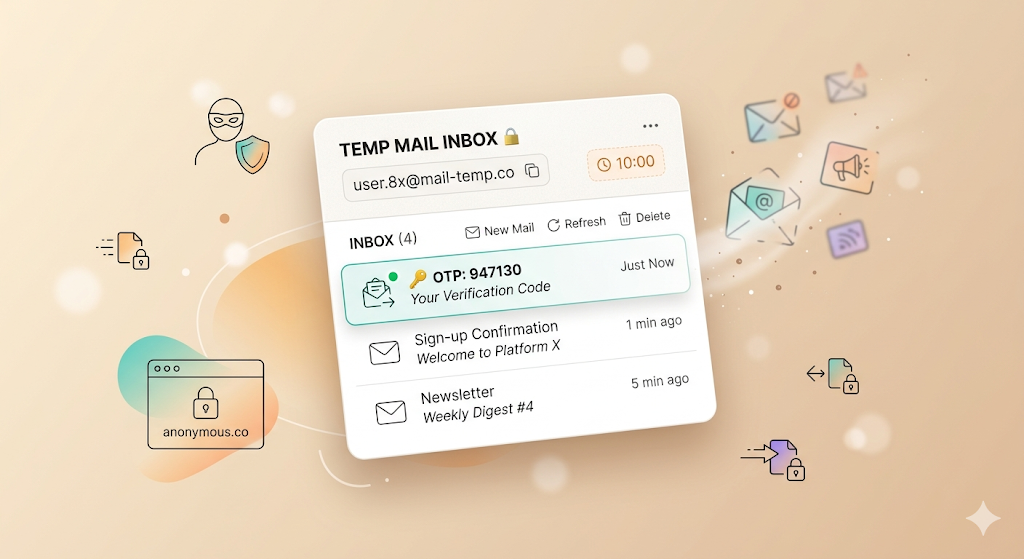
Short-lived temp mail works for instant OTP codes — until it does not. Some services send verification links hours later. Others ask you to "confirm within 24 hours." Trial platforms may email a reminder the next morning. With a 10-minute inbox, those messages arrive after your address is already gone.
FreeTempEmail now keeps every disposable inbox live for up to 24 hours — long enough for delayed verification, multi-step onboarding, and next-day follow-ups — while staying disposable. When the timer ends, the address and every message are deleted automatically. No signup, still free.
| Feature | Before | Now |
|---|---|---|
| Inbox lifespan | ~10 minutes | Up to 24 hours |
| Delayed verification emails | Often missed after expiry | Room for follow-ups and reminders |
| Messages per address | Unlimited (unchanged) | Unlimited incoming mail, free |
| Done early? | Wait for timer | Delete wipes everything instantly |
Why 24 hours helps real signups
Not every verification email arrives in seconds. Common scenarios where a longer-lived disposable address matters:
- Delayed OTP or magic links — some providers queue mail for minutes or hours
- "Confirm within 24 hours" flows — common on SaaS trials and developer tools
- Multi-step onboarding — email today, phone or profile step tomorrow
- Trial reminders — "Your free trial ends soon" landing the next day
A 24-hour window gives you one address for the whole flow. It is still a burner inbox — not a replacement for banking, healthcare, or anything you need to keep long term. Treat it as throwaway: copy codes, complete the signup, then delete it or let the timer run out.
Unlimited messages — no per-inbox cap
Many temp mail services cap how many emails one address can receive — often 10 to 50 messages before the inbox stops accepting mail. FreeTempEmail does not. Every verification email, newsletter, and follow-up lands in the same address for the life of the inbox.
That matters when a signup triggers a welcome series, a password reset, and a trial reminder in the same day. You should not need a fresh address mid-flow because you hit an arbitrary message limit — especially on a free tier.
Delete: your instant off switch
Finished at minute five? Do not wait 23 hours. Delete removes your address, every message, and all stored attachments immediately — the same complete wipe that happens automatically at expiry, but on your schedule.
Delete is the escape hatch when you are done with a signup, want to rotate to a fresh address, or just prefer not to leave data sitting around. Learn more in our how it works guide.
How to use your 24-hour inbox
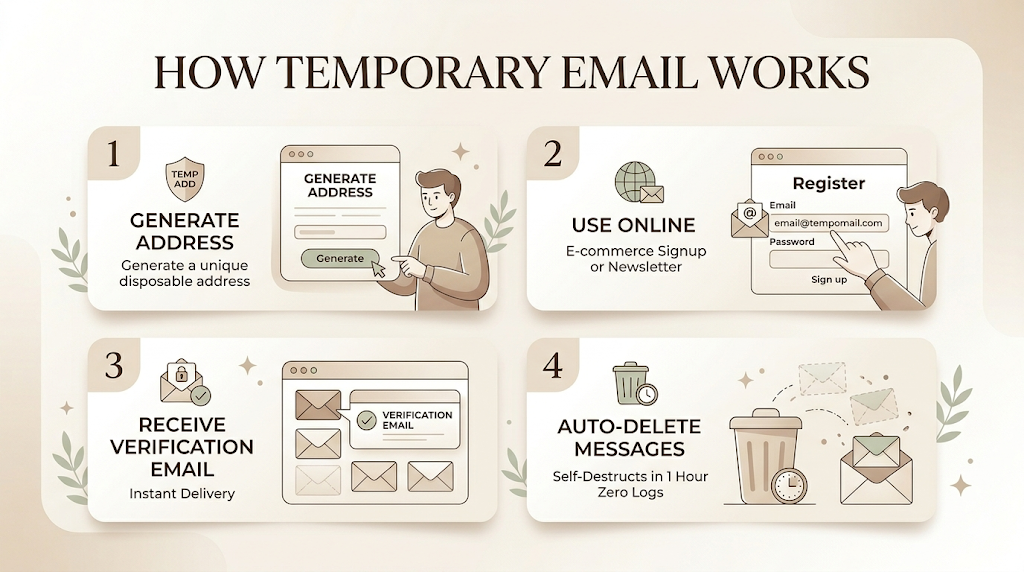
Step 1 — Open FreeTempEmail. A random disposable address appears instantly. No account, no password.
Step 2 — Paste it at signup. Use the address anywhere you need verification — trials, forums, downloads, one-time accounts.
Step 3 — Watch the countdown. The inbox shows how much time remains. Copy OTPs and links as they arrive. Press Delete when you are done, or wait for automatic deletion at expiry.
That is it. Same privacy posture as before — your real inbox never sees the spam — with more time and unlimited volume to finish what you started.
Still free, still private
The longer TTL and unlimited mail are part of the free tier. We do not ask for a credit card or an account. Sessions and inboxes align at 24 hours, so returning within a day does not surprise you with a dead address while your browser session still looks active.
For the full picture on what we store and when we delete it, see our privacy policy and terms.
How long does a FreeTempEmail inbox last now? ▼
Up to 24 hours from when the address is created. A visible countdown shows remaining time. After expiry, the address and all messages are deleted automatically.
Is there a limit on how many emails I can receive? ▼
No per-inbox cap. You can receive unlimited incoming mail on one address for the life of the inbox — every verification, newsletter, and follow-up in the same place.
Can I delete my inbox before 24 hours? ▼
Yes. Press Delete to wipe the address, messages, and attachments instantly — the same complete deletion that happens at expiry, but on demand.
Is it still free? ▼
Yes. 24-hour inboxes and unlimited incoming mail are free. No signup required.
How is this different from 10MinuteMail? ▼
10MinuteMail-style services often expire in minutes and may cap message volume. FreeTempEmail gives you up to 24 hours and unlimited incoming mail per address, plus Delete for instant removal when you are finished early.